功能截图:
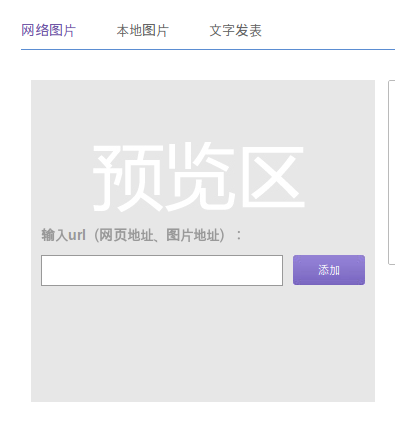
实现思路:首先要对用户输入的URL进行快速的合法性判断,包括文件大小,文件类型等。然后再下载,再进行后处理等。
实现1、首先不下载,快速判断文件类型与文件大小
      //get image size  and MIME type added by chenming 2012-7-20

     function getFileSizeAndType($url){

        $result = array();

        $url = parse_url( $url);

        if($fp = @fsockopen($url[ 'host'],empty($url['port' ])?80: $url['port'],$error)){

               fputs($fp,"GET " .(empty( $url['path'])? ‘/’:$url[ 'path'])." HTTP/1.1\r\n");

               fputs($fp,"Host: $url[host] \r\n\r\n");

               while(!feof ($fp)){

                     $tmp = fgets($fp);

                      if(trim($tmp) == ”){

                            break;

                     } else if(preg_match (‘/Content-Length:(.*)/si’,$tmp,$arr)){

                           $result[ 'size'] = trim($arr[ 1]);

                     } else if(preg_match (‘/Content-Type:(.*)/si’, $tmp, $arr)){

                           $result[ 'type'] = trim($arr[ 1]);

                     }

                      if(count($result) == 2){

                            return $result;

                     }

              }

               return null;

       } else{

               return null;

       }

     }
第2、以上类型与大小都检查通过后,再下载文件
      /*

      * 下载图片 ,并获取类型, added by chenming 2012-7-19

      * */

      function getRemoteContentType($remoteFile){

             # the request

            $ch = curl_init($remoteFile);

             curl_setopt($ch, CURLOPT_RETURNTRANSFER, true);

            $data = curl_exec($ch);

             # get the content type

            $info = curl_getinfo($ch, CURLINFO_CONTENT_TYPE);

             return array(‘data’ =>$data, ‘type’=>$info);

     }
第3、对图片大小进行处理,获取刚下载图片大小的方法
     $datainfo = $this-> getRemoteContentType ($url);  //下载内容并找出MIME类型

     $file = $datainfo[ 'data'];

     $img = imagecreatefromstring($datainfo['data' ]);

     $img_width = imagesx($img);

     $img_height = imagesy($img);